
































Catalog
Global
EN
Account
Steam Gifts
Steam Keys
Game Top-Up
Gift Cards
Full catalog
Steam Gifts
Steam Keys
Game Top-Up
Gift Cards
Back
Screenshots
JOY OF PROGRAMMING - Software Engineering Simulator JOY OF PROGRAMMING - Software Engineering Simulator JOY OF PROGRAMMING - Software Engineering Simulator JOY OF PROGRAMMING - Software Engineering Simulator JOY OF PROGRAMMING - Software Engineering Simulator JOY OF PROGRAMMING - Software Engineering Simulator JOY OF PROGRAMMING - Software Engineering Simulator JOY OF PROGRAMMING - Software Engineering Simulator JOY OF PROGRAMMING - Software Engineering Simulator JOY OF PROGRAMMING - Software Engineering Simulator JOY OF PROGRAMMING - Software Engineering Simulator JOY OF PROGRAMMING - Software Engineering Simulator JOY OF PROGRAMMING - Software Engineering Simulator JOY OF PROGRAMMING - Software Engineering Simulator
Description
System requirements

Use real Python code to automate machines, robots, drones and more: Program self-driving vehicles; crack passwords; apply machine learning; automate logistics; use image processing to guide missiles. Gain real coding skills and solve exciting bite-sized programming challenges.

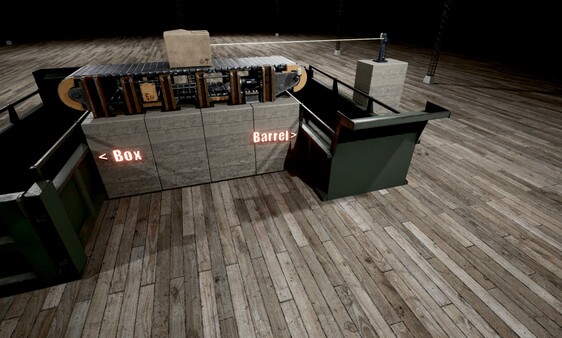
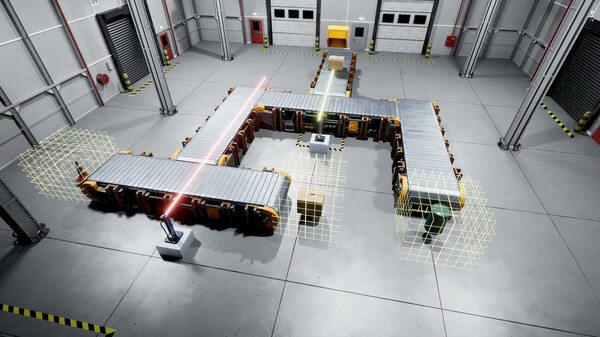
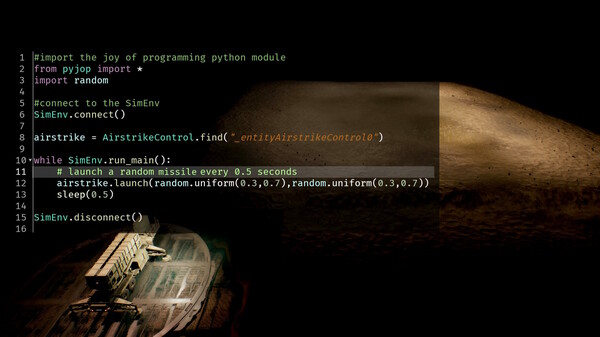
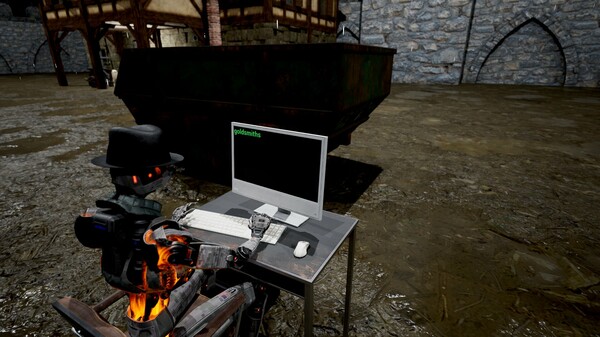
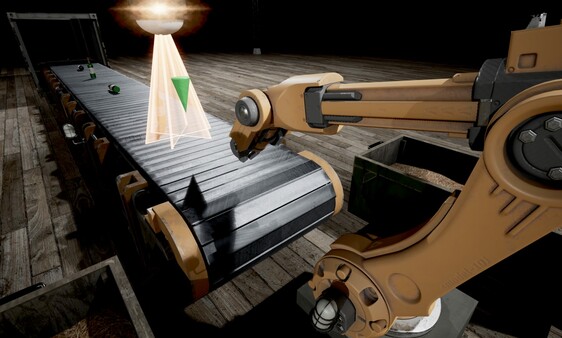
This one is for people who like to understand how things work and enjoy getting results from their own code. You are not watching programming from the sidelines here: every task is solved with real Python, and you see the outcome right away in a 3D world where cars drive, drones fly and robot vacuums clean the floor. What you'll like: - The first hours go into simple jobs: you set up logistics and teach a robot to move, then gradually move on to trickier things like PID tuning. - It works just as well solo, and it is even more fun when you compare clever solutions with friends. - There is no dry textbook theory: you try the code in action straight away. - The built-in level editor lets you design your own puzzle and share it with others. To buy JOY OF PROGRAMMING - Software Engineering Simulator Steam gift, place your order here: after payment the bot adds you as a friend through your quick invite link and sends the game as a gift to your account. This works with any Steam account region. JOY OF PROGRAMMING - Software Engineering Simulator is an immersive 3D programming puzzle game about automating and controlling realistic machines, robots, drones and more using real Python code. Build actual coding skills while playing, solve exciting bite-sized programming challenges and progress to unlock new programming features and improved machinery. Prior programming knowledge recommended. Automate logistics to quickly transport items    Stabilize robots with control feedback (PIDs)   Write navigation code for cars           Crack passwords with brute-force   Solve classical algorithms and data-structures  Accurately control sniper rifles   Use image processing to count coins              Apply computer vision to guide missiles   Get it now and dive into your programming adventure! A Fair Warning JOY OF PROGRAMMING is not a casual game. In fact, it is one of the most difficult games on Steam. It offers the real programming experience: Lots of thinking, hard work, gathering information, debugging and some frustrations. But you will also learn new skills, become a better developer, and most of all enjoy that sweet sensation of finally cracking a hard problem. Features - Tutorial levels to get you started with the programming concepts in JOY OF PROGRAMMING - Create your own puzzles with the included level-editor - Find collectible factsheets with interesting computer-science tidbits - Earn stars by completing levels and use them to unlock new programming features - Work towards achieving many different certificates for completing all levels in one category - Real programming: No pseudo code, no imaginary language. Instead, fully functional python code with your favourite packages like numpy, pandas, scipy, pillow, sklearn and more. Some basic prior programming knowledge (in Python or otherwise) and a strong interested in programming is recommended. - In-game IDE: A codemirror based in-game Python IDE offers syntax highlighting, auto-completion, docstring tooltips, debugging, auto-indentation, code-folding, copy/paste and undo/redo. Advanced users can also opt to use external IDEs like VSCode or PyCharm instead. - Realistic challenges: From robotics to abstract algorithms and creative coding - the full breadth and depth of computer-science awaits. - Open puzzle design: Each level has many different valid solutions. - Clear goals: Each level has one mandatory goal and up to three optional goals. - Immediate feedback: Never wonder whether your code is working. Get immediate, incremental feedback on each good (or bad) step towards a working solution. - Performance metrics: Compare your best solution anonymously with others with respect to speed, memory usage and code length. - No hard locks: Never get stuck on a single level, there are always several open challenges available. - Optionally submit your solution and your code to the leaderboards and share it with the world. Designed By A Computer Science Professor The game is developed primarily by a single developer, who also happens to be a computer science professor. An accompanying Youtube series by the developer provides example solutions for several of the levels and walks through them step-by-step. Level Editor An innovative Python based level editor allows creating and scripting entirely new levels with exciting new challenges. Optionally, these new levels can also be shared with the community via the game's Workshop. Happy Coding and get JOY OF PROGRAMMING now!

System requirements

Minimum: - Requires a 64-bit processor and operating system - OS: Windows 10/11, x64 only - Processor: Core i5 8400, Ryzen 5 2600 - Memory: 8 GB RAM - Graphics: GTX 1070 - DirectX: Version 12 - Storage: 12 GB available space - Additional Notes: SSD recommended Recommended: - Requires a 64-bit processor and operating system - OS: Windows 10/11, x64 only - Processor: Core i7 9700k, Ryzen 7 3700X - Memory: 16 GB RAM - Graphics: RTX 2070 - DirectX: Version 12 - Storage: 12 GB available space - Additional Notes: SSD recommended

FAQ

After payment our bot adds you as a friend using your quick invite link and sends the gift. Accept it in your Steam notifications and the game will appear in your library.

In Steam open Friends → Add a Friend and copy your quick invite link. Each link works once, so create a new one for every order.

The region your Steam account is registered in. A gift for another region cannot be accepted.

Message us in the order chat and we will check your order and help.

Order information

Genre
Indie, Simulation, Strategy, Single-player, Steam Achievements
Platform
Steam

Where to get the link?
  1. Open Steam and go to "Friends" -> "Add a Friend"
  2. In the "Quick Invite Link" section, click "Copy"
  3. Paste the link here. It is one-time use: create a new one for each order
+11

10.56 USD

Order information
Genre
Indie, Simulation, Strategy, Single-player, Steam Achievements
Platform
Steam

Where to get the link?
  1. Open Steam and go to "Friends" -> "Add a Friend"
  2. In the "Quick Invite Link" section, click "Copy"
  3. Paste the link here. It is one-time use: create a new one for each order
+11

Secure transactions

All payments are protected by modern encryption and processed by trusted payment partners.

24/7 Support

Our support team works around the clock and is ready to help with purchases, payments, and any questions.

Full refund guarantee

In case of any issues with your order, we guarantee a refund according to our refund policy.

We use cookies to keep the site working and to remember your settings. Analytics cookies are only used with your consent. Learn more