












Catalog
Global
EN
Account
Steam Gifts
Steam Keys
Game Top-Up
Gift Cards
Full catalog
Steam Gifts
Steam Keys
Game Top-Up
Gift Cards
Back
Screenshots
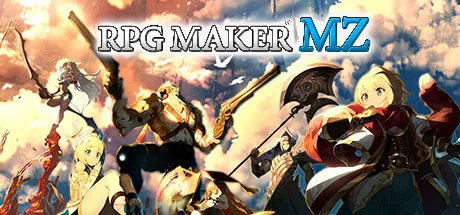
RPG Maker MZ - Card Game Combat Deckbuilder Engine (DLC) RPG Maker MZ - Card Game Combat Deckbuilder Engine (DLC) RPG Maker MZ - Card Game Combat Deckbuilder Engine (DLC) RPG Maker MZ - Card Game Combat Deckbuilder Engine (DLC) RPG Maker MZ - Card Game Combat Deckbuilder Engine (DLC)
Description
System requirements

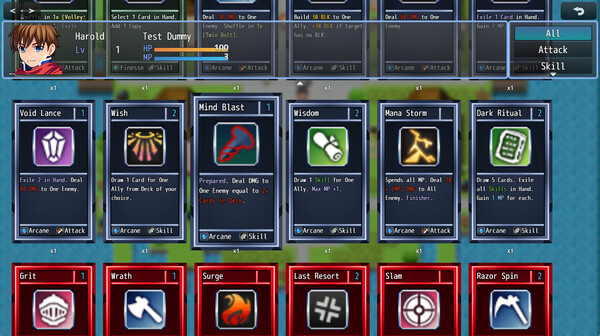
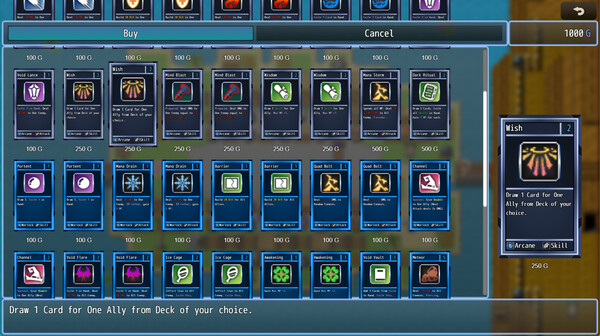
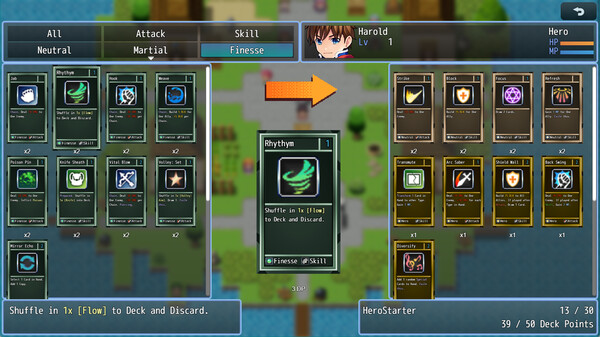
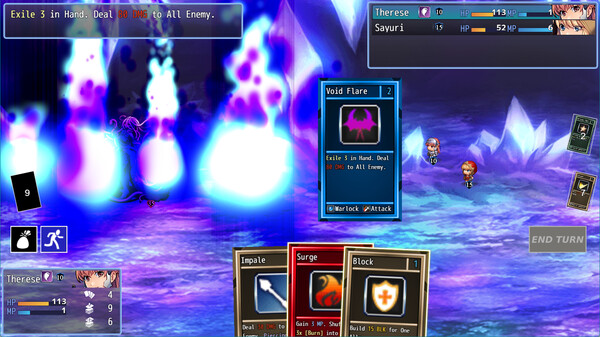
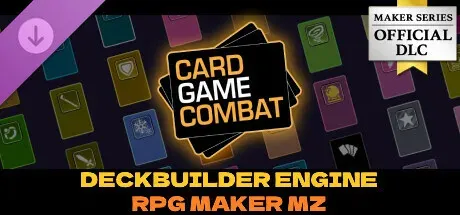
Card Game Combat is a suite of plugins that enables Roguelike Deck Builder gameplay. CGC converts an Actor's Skill List into a deck of Cards. Cards in an Actor's Deck can be added,

This add-on is for anyone who has wanted to build their own roguelike with a deck of cards. Here hero skills turn into cards you shuffle, add and reshape right during the adventure. The mood is calm, but every battle makes you think through each turn. What hooks you: - The first hours go into building a deck that suits your hero and figuring out which cards give the effect you need. - You can rebuild the deck between fights, so the same character plays differently each time. - It works as a toolkit: if you want, you can shape the mechanics around your own project in the MZ engine. - The base RPG Maker MZ game must be on the account. To buy RPG Maker MZ - Card Game Combat Deckbuilder Engine (DLC) on Steam, send your Steam quick invite link and the bot will add you as a friend and send the game as a gift to your account. Works with any account region. Card Game Combat is a suite of plugins that enables Roguelike Deck Builder gameplay. CGC converts an Actor's Skill List into a deck of Cards. Cards in an Actor's Deck can be added, removed and transformed using a variety of methods. When you enter a Battle, these Cards are drawn to your Hand and can be played using the Actor's resources. Multiple cards can be played this way until the player or a card effect ends the Actor’s turn. Make the Deckbuilder of your dreams today using Card Game Combat! ●Tutorial Video Playlist Please see the link from “View the manual” on this page. ■2026/06/23 update DeckEditorCore v1.2.3: - Added Next Actor/Previous Actor inputs for pageup/pagedown + MZ UI buttons to the Deck Selector screen. - Using DeckEditorCore without using CardTypes no longer results in a crash. - Folded Max Visible Rows parameter into Placement Settings. - Fixed Command Names parameter displaying the wrong language in the Plugin Manager CardSummonsCore v1.0.5: - fixed StatDisplay struct displaying the wrong language in the Plugin Manager Current Features (Version 1.6.5): MYTH_CGC_CoreEngine (v1.6.5) * Rolled back previous forced action changes due to a bug that caused the game to crash if a forced action was used at the end of an Enemy's turn. * Fixed crash when using Remove Selected (Action Pack 1) while a zone's cards are visible. * Changed the Extra Button struct's Skill ID format from Number to Skill to improve UX. No need to change any values when updating. * Fixed bug that would prevent Action Pack 2 from moving a Card to a different spot in the same Zone. * Fixed bug where Remove if Unplayed would not work properly with multiple party members. * Fixed bug where Mill X Type typeName would not work if the player's hand was at max size. * Fixed bug with IndependantCardVariables which would prevent Card sprites from updating when Start of Turn Actions changed a Var value. * Fixed bug with ActionPack2 that would occasionally prevent Transform condition from being met at the end of Start of Turn Actions. * Fixed bug that would cause an interrupted battle to not properly clear Card Actions, leading to CAs executing on the next battle. * Fixed crash when using skill with Card Target Actions and a scope of None. * Added Rotate, Skew and Scale commands to the Show Card plugin command suite. * Added Max Library Copies parameter. * Added compatibility with YEP_X_CounterControl. * Improved MZ touch input: Clicking a card to play it immediately after another card no longer requires moving your mouse first. * Fixed MZ bug where changing classes would duplicate your cards. * Fixed common events in the Demo Project * Updated the skill pages in the Blank Template database MYTH_CGC_BlockGenerate (v1.4.0) * Fixed Enemy State Icon flickering issue * Added support for Block States used in Card Summons (for summoners) * Fixed Show Icon on Battler and Show Icon on Window struct parameters * Added support for formula input in Init Block, Max Block, Mod Max Block, Mod Init Block, Change Block Notetags * Added support for comma separated values in Hide Block, Hide Resc, Ignore Block, Fill Block, Clear Block, Negate Block Notetags * Added Class Notetags for Init Block, Max Block, Hide Block, Hide Resc MYTH_CGC_BlockGenerate (v1.4.1) * Transforming an Enemy now properly sets them to Initial Block Values * Enemies appearing midway in Battle properly have Block/Resc States MYTH_CGC_EquipCards (v1.0.7) * Added support for comma separated values in Add Card Notetag ----- ・This pack is for use in RPG Maker Series or the engine of your choice. ・OK to be used in Commercial projects made in RPG Maker ・You may modify some of the assets (but not redistribute them) for your own game use only.

System requirements

Minimum: - Additional Notes: System supporting RPG Maker MZ Recommended: - Additional Notes: System supporting RPG Maker MZ

FAQ

Yes, the full version of RPG Maker MZ must be on your account and must not be hidden. Without it the DLC gift cannot be sent.

After payment our bot adds you as a friend using your quick invite link and sends the gift. Accept it in your Steam notifications and the DLC will appear in your library.

In Steam open Friends → Add a Friend and copy your quick invite link. Each link works once, so create a new one for every order.

The region your Steam account is registered in. A gift for another region cannot be accepted.

Order information

Genre
RPG, Design & Illustration, Education, Web Publishing, Game Development
Platform
Steam

Where to get the link?
  1. Open Steam and go to "Friends" -> "Add a Friend"
  2. In the "Quick Invite Link" section, click "Copy"
  3. Paste the link here. It is one-time use: create a new one for each order
+51

50.8 USD

Order information
Genre
RPG, Design & Illustration, Education, Web Publishing, Game Development
Platform
Steam

Where to get the link?
  1. Open Steam and go to "Friends" -> "Add a Friend"
  2. In the "Quick Invite Link" section, click "Copy"
  3. Paste the link here. It is one-time use: create a new one for each order
+51

Secure transactions

All payments are protected by modern encryption and processed by trusted payment partners.

24/7 Support

Our support team works around the clock and is ready to help with purchases, payments, and any questions.

Full refund guarantee

In case of any issues with your order, we guarantee a refund according to our refund policy.

We use cookies to keep the site working and to remember your settings. Analytics cookies are only used with your consent. Learn more