




























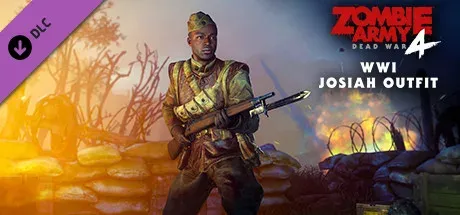
Zombie Army 4: WW1 Josiah Outfit (DLC)
 Steam gift
 In stock

42
Sales

0
Reviews
Supported languages
English*
 French, Italian, German, Spanish - Spain, Japanese, Korean, Polish, Portuguese - Brazil, Russian, Simplified Chinese, Traditional Chinese
*languages with full audio support
Activation platform
Steam
 Action
Single-player
Multi-player
Co-op

 USA
3.4 USD
 Kazakhstan
2.1 USD
 Ukraine
1.96 USD
 CIS
2.34 USD
Turkey & MENA
2.34 USD
 Europe
3.66 USD
 United Arab Emirates
2.65 USD
Latin America
2.34 USD
 Australia
3.41 USD
 Brazil
2.1 USD
 Canada
3 USD
 Switzerland
4.28 USD
 Chile
2.1 USD
 China
2.4 USD
 Colombia
2.75 USD
 Costa Rica
3.4 USD
 United Kingdom
3.66 USD
 Hong Kong
2.71 USD
 Indonesia
1.96 USD
 Israel
3.75 USD
 India
1.96 USD
 Japan
2.4 USD
 South Korea
2.71 USD
 Kuwait
2.3 USD
 Mexico
2.31 USD
 Malaysia
2.31 USD
 Norway
3.88 USD
 New Zealand
2.71 USD
 Peru
2.31 USD
 Philippines
1.96 USD
South Asia
2.1 USD
 Poland
3.66 USD
 Qatar
2.4 USD
 Saudi Arabia
2.31 USD
 Singapore
2.71 USD
 Thailand
2.31 USD
 Taiwan
2.31 USD
 Uruguay
2.53 USD
 Vietnam
1.96 USD
 South Africa
2.1 USD
Supported languages
English*
French, Italian, German, Spanish - Spain, Japanese, Korean, Polish, Portuguese - Brazil, Russian, Simplified Chinese, Traditional Chinese
*languages with full audio support
Activation platform
Steam
Action
Single-player
Multi-player
Co-op
USA
3.4 USD
Kazakhstan
2.1 USD
Ukraine
1.96 USD
CIS
2.34 USD
Turkey & MENA
2.34 USD
Europe
3.66 USD
United Arab Emirates
2.65 USD
Latin America
2.34 USD
Australia
3.41 USD
Brazil
2.1 USD
Canada
3 USD
Switzerland
4.28 USD
Chile
2.1 USD
China
2.4 USD
Colombia
2.75 USD
Costa Rica
3.4 USD
United Kingdom
3.66 USD
Hong Kong
2.71 USD
Indonesia
1.96 USD
Israel
3.75 USD
India
1.96 USD
Japan
2.4 USD
South Korea
2.71 USD
Kuwait
2.3 USD
Mexico
2.31 USD
Malaysia
2.31 USD
Norway
3.88 USD
New Zealand
2.71 USD
Peru
2.31 USD
Philippines
1.96 USD
South Asia
2.1 USD
Poland
3.66 USD
Qatar
2.4 USD
Saudi Arabia
2.31 USD
Singapore
2.71 USD
Thailand
2.31 USD
Taiwan
2.31 USD
Uruguay
2.53 USD
Vietnam
1.96 USD
South Africa
2.1 USD
Nothing found
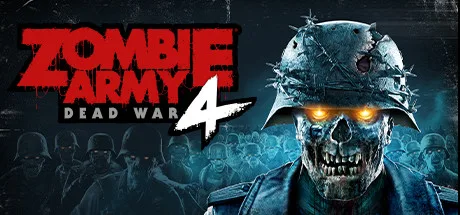


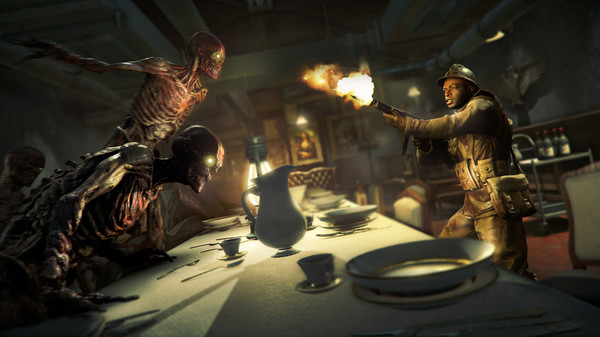


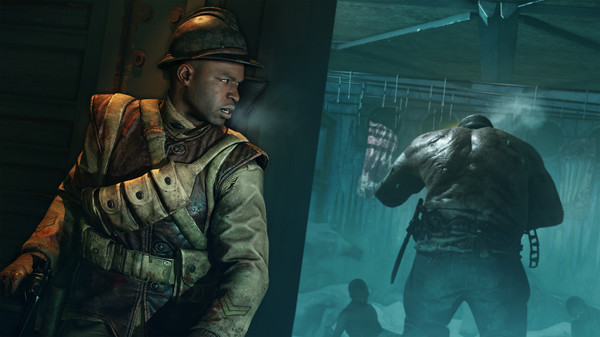
Play as Josiah, dressed in his WW1 outfit!
System requirements
FAQ
Yes, the full version of Zombie Army 4: Dead War must be on your account and must not be hidden. Without it the DLC gift cannot be sent.
After payment our bot adds you as a friend using your quick invite link and sends the gift. Accept it in your Steam notifications and the DLC will appear in your library.
In Steam open Friends → Add a Friend and copy your quick invite link. Each link works once, so create a new one for every order.
The region your Steam account is registered in. A gift for another region cannot be accepted.

 Recommended for you

 Currency
 Currency
 Currency
 Currency
 Currency
 Currency
 Currency
 Currency

 Voucher
 Voucher

Secure transactions
All payments are protected by modern encryption and processed by trusted payment partners.

24/7 Support
Our support team works around the clock and is ready to help with purchases, payments, and any questions.

Full refund guarantee
In case of any issues with your order, we guarantee a refund according to our refund policy.
